


Moshi Kids: Sleep, Relax, Play
4.61.71K Reviews
App Specs
- Version
- 10.12.0
- Updated On
- License
- Free
- Downloads
- 1,000,000+
- Developer
- Mind Candy Ltd
- Categories
- Education
- Platform
- Android
Screenshots

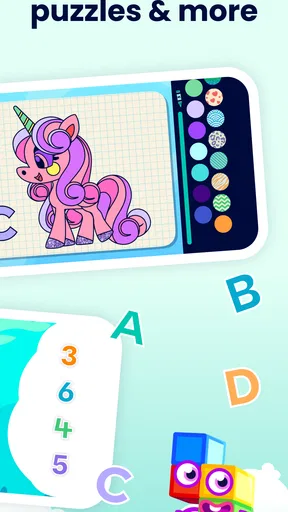
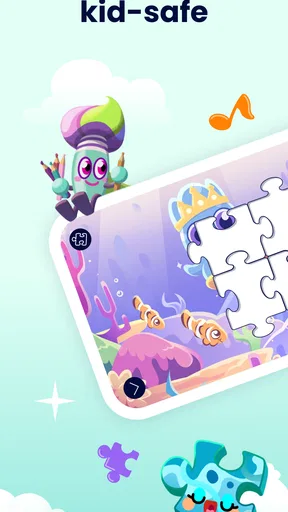

 Analysis by AppCompare
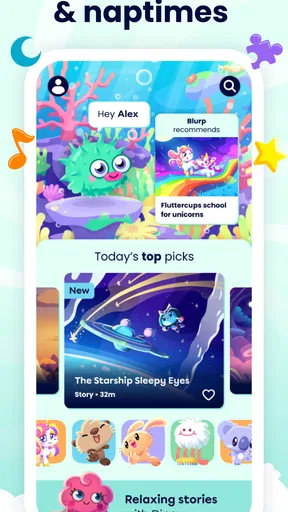
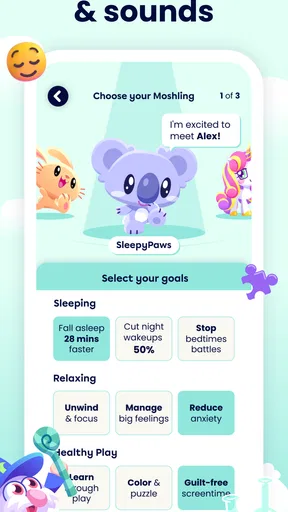
I approached Moshi Kids: Sleep, Relax, Play as a parent looking for a calmer way to fill the awkward spaces around bedtime, quiet time, and short breaks. It is an education app from Mind Candy Ltd, but it does not feel like a traditional lesson platform. Its focus is a mixture of stories, sounds, music, and games designed for children, with a gentle rhythm rather than a school-like sequence of tasks.
That distinction matters. I would not choose it to teach reading, mathematics, or a specific curriculum. I would choose it when the practical goal is helping a child settle down, listen independently for a while, or enjoy a screen experience that is less frantic than many games. The app is free to install and rated for Everyone, while optional purchases range from under a dollar to a substantial one-time item price. That makes the first decision simple, but it also means I would look carefully at the purchase flow before handing over a device.
What using Moshi Kids feels like in everyday life
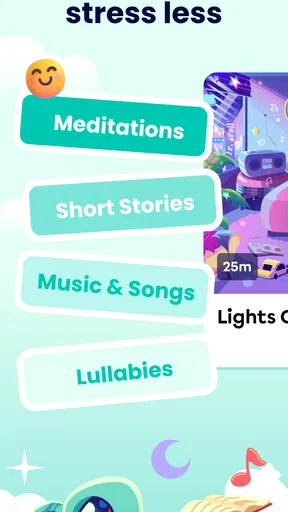
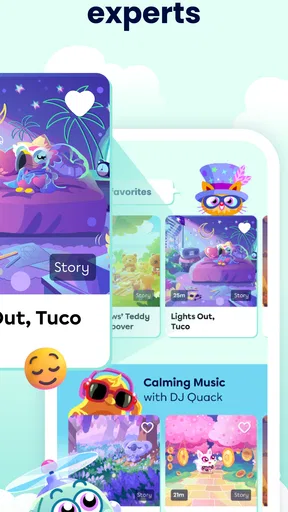
The strongest part of the experience is its change of pace. Instead of pushing a child through bright challenges, rapid rewards, or competitive scores, it places stories, audio, music, and play in the same broad space. I found that combination more useful than a single-purpose sleep timer because it can fit different moments of the day. A child may want an absorbing story after dinner, a quieter audio choice before bed, or a small game earlier in the evening when sleep is not yet the objective.
A realistic routine would be a child returning from school tired but not ready to sleep. I would let them choose a short activity first, then move toward an audio story with the lights lower and the device farther away. That transition is more practical than expecting a child to jump directly from an energetic video or game into silence. The app works best as part of that routine, not as a magic switch that guarantees sleep.
I also like that the format can serve children who respond better to sound than to long blocks of text. A narrated story gives them something to follow without requiring constant reading, while music and ambient audio can make quiet time feel intentional rather than like a punishment. For a child who enjoys imagination and repetition, familiar stories may become a comforting part of the evening.
There is a trade-off, though. An app that combines several kinds of content can make choice itself part of the problem. If a child keeps browsing between stories, sounds, music, and games, the calming purpose can disappear. My practical advice is to decide the boundary before opening it: choose one story, one quiet activity, or one short listening period, then put the device away. The app supports a routine; it cannot create one without adult guidance.
Who is likely to get the most from it
I think it suits families who want a softer alternative to general entertainment apps. It is especially appealing when a child enjoys being read to but needs something available while an adult is preparing dinner, helping another child, or finishing a household task. The audio-led approach can also help when a parent wants to reduce visual stimulation without removing all independent entertainment.
Worth Reading Before You Choose

EA SPORTS FC Mobile 26 Is a Bigger Football Game, but It Takes Time

Flipboard Shows What News Apps Must Do Beyond the Feed

Switching to Android Auto Means Rethinking Your Driving Routine

Google Calendar Makes a Crowded Week Easier to Manage

Ludo King Makes the Most of the Minutes Between Plans

Baby Panda World Brings Quick Play to Modern Phones, but Its Game Library Feels Busy
It may be a good fit for children who enjoy fantasy, gentle narration, and imaginative play more than open-ended building or competitive challenges. The Everyone age rating makes it approachable for a broad family audience, but that label should not be treated as a promise that every child will react to every story in the same way. Younger children may still need an adult to select suitable material and explain what they are hearing.
I would be more cautious if the main need is a structured educational program. Although the app belongs in the education category, its value is strongest in relaxation, listening, and imaginative engagement rather than measurable academic progress. A phonics app, language course, or mathematics platform would be a better choice for a child who needs clear lessons, practice levels, and feedback tied to schoolwork.
It is also not the right choice for a family that wants a completely offline, no-account, no-purchase digital experience unless the setup and available controls meet that family’s expectations. The presence of optional purchases means I would inspect the account and device settings first. Parents who prefer a single-purpose sleep sound player may find this broader library less convenient, particularly if the child is tempted to keep exploring instead of settling.
Trust starts with what the app visibly asks you to do
When I review a children’s app, I pay attention not only to the content but also to the moments where the app asks the family to make a decision. With this title, the important trust questions are practical: who is setting it up, whether a child can reach purchase screens, how easily an adult can stop access, and whether the device is being used by one child or shared by several.
I would complete the initial setup myself rather than letting a child navigate it alone. That gives me a chance to read each prompt, notice whether an account is requested, and check which choices are optional. I would also avoid treating a free download as equivalent to a fully free experience. The app costs nothing to install, but its in-app purchase range means the adult responsible for the device should understand the available buying path before regular use begins.
The safest everyday arrangement is a child profile or device environment where purchasing requires adult authentication. I would use the operating system’s purchase protection, keep payment details away from a child’s reach, and avoid saving a password where a young user can approve a transaction accidentally. These are not glamorous steps, but they matter more than a reassuring visual design.
I also recommend checking the app after an update rather than assuming the setup has stayed exactly the same. The current version is 10.12.0, and updates can alter navigation, account prompts, or the way content is presented. I would briefly open the settings, review the purchase controls, and confirm that the child can reach only the areas I intend them to use. That small check is worthwhile for any children’s app that mixes entertainment with optional spending.
Data-sensitive moments deserve a deliberate check
My trust assessment stays with what can be observed in the app and its account flow. I would not infer privacy protection merely because the content is gentle, and I would not assume that a child-focused design explains every data practice automatically. Before regular use, I would read the privacy and account information presented during setup or in the relevant settings, especially if the app asks for an email address, a profile, or another form of identification.
The most sensitive moment is usually not listening to a story; it is creating or managing the account. I would look for clear explanations of why information is requested, whether a parent is expected to provide it, and whether there are visible ways to change or remove account details. If a child uses a shared tablet, I would also check whether the app remembers the previous user’s choices or exposes account information when reopened.
Notifications deserve the same attention. A bedtime app that sends reminders may be useful for one family and irritating for another. I would decide whether notifications help the routine, then disable them if they encourage the child to return to the device unnecessarily. The same applies to microphone, camera, contacts, location, or other sensitive permissions: I would grant only a permission that the app clearly explains and that I genuinely need for the intended use. If a permission request appears unrelated to stories, sounds, music, or games, I would pause rather than approve it automatically.
Shared devices create another small but important risk. A child may open the app while another family member’s store account is active, or a parent may leave a purchase session available. I would close store screens, use separate device profiles where possible, and make sure the child understands that asking before tapping a purchase button is part of using the app. These habits protect against mistakes without turning the experience into a lecture about technology.
Keeping the child’s choices meaningful
I appreciate apps more when they give families room to shape the experience instead of forcing one fixed routine. Here, I would use the content types as choices within a plan: a story for focused listening, music for a quieter transition, sounds for background relaxation, and games only when the timing suits them. That simple division helps prevent the most stimulating option from taking over every session.
One useful approach is to let the child choose between two adult-approved options. For example, I might say, “Would you like a story or music?” rather than opening the whole catalogue and asking them to decide everything. This preserves a sense of control while reducing endless browsing. It is a small workflow, but it makes the app more effective for children who become overexcited when faced with too many possibilities.
I would also separate discovery from bedtime. New content can be explored during the afternoon, when there is no pressure to fall asleep. At night, I would return to a familiar selection. That avoids the common mistake of introducing an exciting new story precisely when the goal is winding down. Familiarity is often more useful than novelty in a sleep routine.
Parents should decide how much independence is appropriate. An older child may be able to select audio and stop at the agreed time. A younger child may need the adult to start the content, lock the screen, or keep the device nearby. The app can support independent listening, but the right level of freedom depends on the child’s age, habits, and ability to stop without prompting.
I would not use it as a replacement for a parent’s judgment about sleep, anxiety, or sensory needs. If a child repeatedly becomes distressed by a story, sound, or theme, I would stop that selection even if it appears calm to an adult. Likewise, if listening delays sleep every night, the best decision may be to shorten the session or remove the device from the bedroom altogether.
How it compares with ordinary alternatives
Compared with a standard video streaming service, this app has a clearer purpose. General platforms offer more variety, but they also make it easy to move from a calm story to loud, fast content through recommendations or autoplay. Moshi Kids is more focused on children’s stories, sounds, music, and games, so I find it easier to build a predictable routine around it.
Compared with a dedicated white-noise or meditation app, it is broader and more child-oriented. That breadth is useful when a child needs a story or playful activity rather than a repeating sound. The downside is that it may require more parental boundaries. A single-purpose sound app is often simpler when the only goal is background audio with no browsing.
Compared with a library book, the app offers convenience and audio support, especially when an adult cannot read aloud at that moment. A book remains better for shared conversation, physical separation from screens, and a bedtime ritual that does not depend on battery life or device settings. I see the app as a complement to reading, not a replacement for it.
Compared with a conventional educational game, it is less useful for tracking a particular academic skill. Its advantage is emotional pacing and imaginative content, while a curriculum-focused app usually wins when parents want exercises, progress markers, or direct practice. Choosing between them depends on whether the child needs calm engagement or structured instruction that day.
Practical setup before a child uses it
I would begin by installing it on the device the child actually uses and checking compatibility. The app requires Android 8.0 or later, so an older device may need attention before installation. I would then open the app without the child present, explore the navigation, and identify which areas are suitable for the intended routine.
Next, I would review the account and purchase path. I would make sure the payment method is protected, check whether the device asks for authentication before buying, and explain to the child that free access and optional purchases are different things. Because individual items can range from $0.99 to $239.99, I would not rely on the child to recognize the significance of a button or price.
I would test the audio at the volume the child will actually use, especially with headphones. For younger children, speakers are often easier for an adult to supervise. I would also check whether the device’s sleep settings, notifications, and automatic playback behavior fit the family routine. The aim is to remove friction before bedtime, not troubleshoot while a tired child is waiting.
Finally, I would establish a stopping point. That might be one story, a short listening window, or a clear transition to brushing teeth and getting into bed. The app becomes much more useful when the child knows what happens next. Without that boundary, even relaxing content can turn into another reason to negotiate for more screen time.
My cautious verdict for families
Moshi Kids: Sleep, Relax, Play has a sensible place in a family’s digital toolkit. I like its emphasis on stories, sounds, music, and games rather than the constant speed and competition found in many children’s apps. In my experience, its best use is as a bridge between active entertainment and a quieter part of the day, particularly when a child enjoys audio and imaginative storytelling.
Its trustworthiness should be judged through setup choices, not assumptions. I would review account prompts, inspect any requested permissions, protect purchases, control notifications, and revisit those settings after updates. I would also keep the child’s choices intentionally limited at bedtime. Those steps preserve adult oversight while still allowing the child to feel involved.
The free installation makes it easy to try, and its four-point-six average from around seven thousand ratings suggests that many families find value in the format. It has passed the million-install mark, and the current release is 10.12.0. I mention those figures as context, not as a substitute for deciding whether the content and controls suit your household.
My recommendation is therefore conditional but positive: try it if you want a child-focused alternative to general video entertainment and are willing to manage the account, purchase, and bedtime boundaries yourself. Skip it if you need a rigorous academic course, a completely hands-off sleep solution, or a device experience with no optional spending to supervise. Used with clear limits, the real strength is its ability to make quiet time feel inviting rather than imposed.
Pros
- Calming audio stories can help create a consistent bedtime routine.
- Includes relaxing music
- meditations
- and soundscapes for different moods.
- Child-friendly design is easy for young users and parents to navigate.
- Offline listening is useful during travel or in areas with limited internet.
- Content covers sleep
- relaxation
- and quiet play in one app.
Cons
- Many stories and features may require a paid subscription.
- The catalog may feel repetitive for children who use it every night.
- Some content is primarily designed for younger children.
- Audio playback can depend on a stable connection for online content.
- Parents may need to manage screen time despite the app’s calming purpose.
FAQs for Moshi Kids: Sleep, Relax, Play
What is Moshi Kids: Sleep, Relax, Play, and who is it designed for?
Moshi Kids is a children’s wellness and bedtime app focused on sleep, relaxation, mindfulness, and calming entertainment. It offers narrated sleep stories, soothing music, meditations, breathing exercises, and other gentle audio content intended primarily for young children and families. The app may be especially useful for bedtime routines, quiet time, travel, or helping children settle after an active day.
Can Moshi Kids help my child fall asleep more easily?
The app is designed to support a consistent and relaxing bedtime routine rather than act as a guaranteed sleep solution. Its stories, soundscapes, lullabies, and guided relaxation sessions create a calm atmosphere that may help children slow down and prepare for sleep. Results can vary depending on the child, so it works best when combined with regular bedtimes, reduced screen stimulation, and a comfortable sleeping environment.
Does Moshi Kids require a subscription, and is there free content available?
Moshi Kids may provide some content for free, while access to the complete library and additional features can depend on a paid subscription or in-app purchase. Pricing, trial availability, and included content can differ by platform, country, and current promotion. Before downloading or starting a trial, parents should review the app store listing carefully, including renewal terms and cancellation instructions.
Is Moshi Kids safe and appropriate for children to use?
Moshi Kids is created specifically with children and families in mind, using gentle audio experiences instead of fast-paced, highly stimulating gameplay. However, parents should still review the available content and supervise how the app is used, especially with younger children. It is also important to check privacy settings, parental controls, account requirements, and the developer’s current policies before allowing independent access.
Can I use Moshi Kids offline or play content at bedtime without keeping the screen on?
The app is primarily audio-focused, which makes it suitable for listening at bedtime without actively watching the screen. Depending on the subscription and app version, selected stories, music, or meditations may be downloadable for offline use, although not every item is necessarily available this way. Parents should download content in advance, connect the device to a charger if needed, and enable suitable sleep or screen settings.


